
Excel and Google Sheets don't cost much. Running your entire business on them might.
For many businesses, spreadsheets are where everything starts.
A sales team tracks opportunities in Excel. Finance maintains a Google Sheet for collections. Purchasing has a spreadsheet for suppliers. The warehouse keeps another file for inventory. Management then asks someone to consolidate everything into a report.
At first, this works.
It's inexpensive. It's flexible. Everyone knows how to use it.
But as the business grows, something changes.
More customers. More transactions. More employees. More products. More locations. More data.
Suddenly, the business isn't just using spreadsheets.
The business is working around spreadsheets.
And that's where the hidden cost begins.

Spreadsheets Aren't the Problem
Let's be clear: Excel and Google Sheets are excellent tools.
They are useful for:
- Data analysis
- Financial modeling
- Forecasting
- Ad hoc calculations
- Reporting
- Quick business planning
- Sharing information
The problem starts when spreadsheets become the primary system for running core business processes.
There's a big difference between:
Using spreadsheets to analyze your business
and
Using spreadsheets to operate your business.
If your employees are constantly copying, reconciling, updating, and consolidating information across multiple spreadsheets, the issue may no longer be the spreadsheet itself.
It may be the underlying business process.

1. Duplicate Data Entry Quietly Eats Up Time
Consider a simple customer transaction.
A sales representative enters the customer's information into a spreadsheet.
Finance needs the same information, so someone copies it into another file.
The warehouse needs the order details, so another person updates an inventory spreadsheet.
Management wants the information included in a report, so someone consolidates everything again.
The same information has now been entered or transferred multiple times.
That may seem insignificant for one transaction.
But multiply it by hundreds or thousands of transactions.
Your employees are spending valuable time moving information instead of using it.
2. "Which Version Is the Latest?" Becomes a Business Problem
Excel files can be emailed.
Google Sheets can be shared.
But collaboration doesn't automatically mean you have a single source of truth.
You may still encounter:
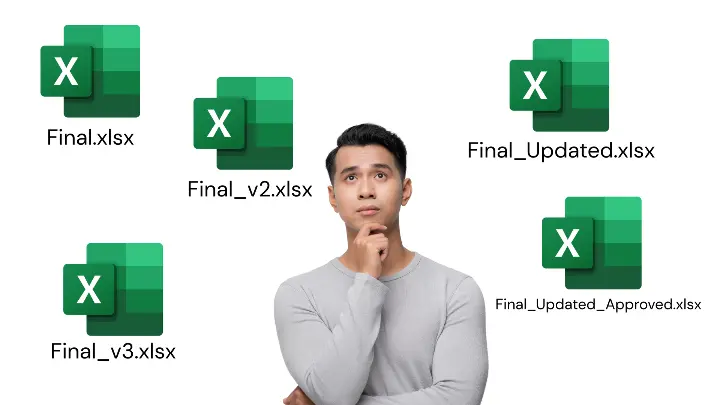
- Final.xlsx
- Final_v2.xlsx
- Final_v3.xlsx
- Final_Updated.xlsx
- Final_Updated_Approved.xlsx
And someone inevitably asks:
"Which file should I use?"
Even with Google Sheets, different teams may maintain separate documents for different processes.
The problem is not file naming.
The problem is that information can become fragmented across the organization.
When different teams work from different versions of the truth, decision-making becomes harder.
3. Errors Become Harder to Find
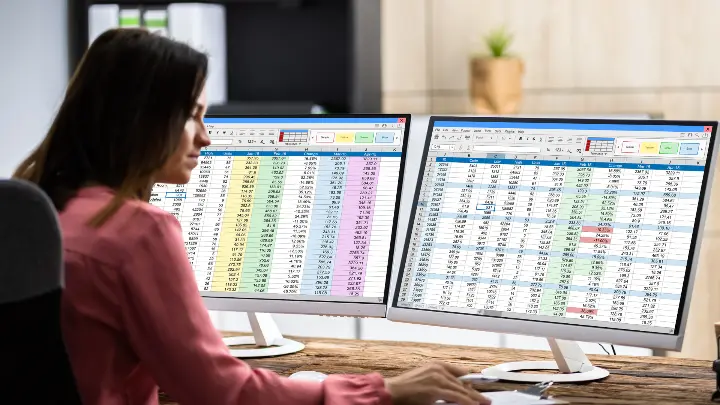
A spreadsheet can be incredibly powerful.
It can also be incredibly easy to break.
A formula gets overwritten.
A row gets deleted.
A value is entered incorrectly.
A filter remains active.
A transaction is duplicated.
A cell references the wrong range.
These mistakes don't always announce themselves.
Sometimes, you only discover them when a report doesn't match the expected result.
By then, someone has to spend hours investigating where the discrepancy came from.
The hidden cost isn't just the error.
It's the time spent finding, correcting, validating, and explaining it.

4. Reporting Becomes a Manual Exercise
One of the biggest signs that a business has outgrown spreadsheets is when management reporting becomes a monthly ritual.
Someone collects data from sales.
Someone gets the latest numbers from finance.
Someone requests inventory figures.
Someone updates the forecast.
Someone consolidates everything.
Then someone checks whether the numbers are consistent.
Only after all of that can management review the report.
The problem?
Your business may already have the information. It just isn't connected.
An ERP can help connect transactions and processes so that reporting doesn't always require someone to manually assemble the puzzle.

5. Delayed Information Leads to Delayed Decisions
Imagine a business owner wants to know:
"How much inventory do we have right now?"
If the answer requires someone to check a spreadsheet, contact the warehouse, update the file, and reconcile recent transactions, the information isn't really "real-time."
It's a snapshot that requires manual preparation.
The same can happen with:
- Sales performance
- Accounts receivable
- Purchasing commitments
- Cash flow
- Customer orders
- Production status
- Inventory levels
When information is delayed, decisions are delayed.
And sometimes, a delayed decision has a real financial cost.

6. Your "Spreadsheet Expert" Becomes a Single Point of Failure
Almost every growing business has one.
The person who knows:
- Which spreadsheet contains the real numbers
- How the formulas work
- Which tabs should not be touched
- How to generate the monthly report
- How to reconcile two different files
- Where the missing data usually comes from
They're incredibly valuable.
But what happens when they're on leave?
Or they resign?
Or nobody else understands the workbook they built three years ago?
This creates an often-overlooked operational risk:
Critical business knowledge is trapped inside an individual and their spreadsheets.
A scalable business should make its processes repeatable, documented, and accessible.

7. Growth Multiplies the Problem
A spreadsheet-based process may work perfectly well for a small business.
Then the business grows.
10 employees becomes 30.
100 customers becomes 1,000.
One warehouse becomes three.
A few dozen transactions become thousands.
The spreadsheet doesn't necessarily become "bad."
The complexity around it increases.
More users.
More data.
More approvals.
More dependencies.
More integrations.
More reporting requirements.
Eventually, adding another spreadsheet isn't solving the problem.
It's adding another layer to it.
What Is the Hidden Cost?
The cost of spreadsheets isn't simply the price of Microsoft Excel or the fact that Google Sheets is available online.
The real cost is distributed across your operations.
It can include:
Time
Hours spent encoding, consolidating, checking, and reconciling data.
Errors
Incorrect information that can affect inventory, purchasing, finance, or customer transactions.
Delays
Waiting for people to update files before decisions can be made.
Visibility
Difficulty getting a complete picture of what's happening across the business.
Productivity
Employees spending time on administrative work instead of higher-value activities.
Scalability
Processes becoming increasingly difficult to manage as transaction volume and organizational complexity increase.
Business risk
Critical processes depending on specific people or undocumented spreadsheet logic.
These costs rarely appear as a single line item on the company's financial statements.
But they're real.
When Should You Consider an ERP?
This doesn't mean every business needs an ERP.
If your operations are simple and spreadsheets work, there may be no reason to change.
The better question is:
Has your business outgrown its spreadsheets?
You may want to start evaluating an ERP when:
- Multiple departments maintain separate versions of the same information
- Employees repeatedly enter the same data
- Management reporting requires extensive manual consolidation
- Errors and reconciliation issues are becoming frequent
- You struggle to get current operational information
- Your processes depend heavily on specific employees
- Your transaction volume is increasing rapidly
- Adding another spreadsheet feels like the only way to solve a new problem
These are signs that the issue may be bigger than spreadsheets.
ERP vs. Spreadsheets: It's Not About Replacing Everything
Moving to an ERP doesn't mean throwing Excel or Google Sheets away.
Spreadsheets will continue to have a place in business.
The difference is what role they play.
Instead of using spreadsheets as the central system for every business process, an ERP can serve as the system where operational transactions are recorded and connected.
For example:
Sales → Inventory → Purchasing → Accounting → Reporting
Information can move through connected processes instead of being manually copied from one spreadsheet to another.
Teams can then use Excel or Google Sheets for analysis without making them responsible for running the entire operation.

How Odoo Can Help
An ERP such as Odoo can connect different areas of a business within a single platform.
Depending on your requirements, this can include:
- CRM
- Sales
- Accounting
- Invoicing
- Purchasing
- Inventory
- Manufacturing
- Point of Sale
- Project Management
- HR
- Website and eCommerce
Instead of maintaining separate spreadsheets for every department, businesses can create connected workflows and centralized information.
For example, a sales order can connect to inventory availability, delivery, invoicing, and accounting.
The objective isn't simply to "digitize" a spreadsheet.
It's to redesign how information flows through the business.
Before Buying an ERP, Calculate the Cost of Doing Nothing
When businesses evaluate ERP systems, they often focus on implementation cost.
That's important.
But there's another number worth calculating:
What is the cost of continuing with the current process?
Ask your team:
- How many hours do we spend consolidating spreadsheets each month?
- How much time is spent correcting data?
- How long does it take to produce management reports?
- How often do departments reconcile conflicting numbers?
- How many decisions are delayed because information isn't available?
- How dependent are our processes on one or two employees?
- What does an inventory or reporting error actually cost us?
You may discover that the spreadsheet isn't free after all.
The Real Question Isn't "Excel or ERP?"
It's easy to turn the conversation into:
Excel vs. ERP.
But that's not really the issue.
The real question is:
Is your current way of working helping your business scale, or is it holding your business back?
Excel and Google Sheets can be excellent tools.
But when your employees spend more time maintaining information than acting on it, you may have reached the point where a connected business system makes more sense.
The goal isn't to eliminate spreadsheets.
The goal is to eliminate unnecessary work around them.
Final Thought
Your business doesn't become inefficient because someone uses Excel.
It becomes inefficient when people, processes, and information become disconnected.
And sometimes, the most expensive system in your business is the one you don't realize you're paying for.
So before asking, "How much will an ERP cost?" ask a different question:
"How much is our current way of working costing us?"
That may be the more important number.
Ready to move beyond spreadsheet-driven operations?
Malaya Tech Consulting helps businesses in the Philippines evaluate and implement Odoo ERP solutions designed around their actual business processes.
From sales and accounting to inventory, purchasing, manufacturing, and reporting, the goal is simple:
Connect your business. Reduce manual work. Break Business Barriers.